A world clock that looks designed
Full-screen hero clocks with selectable themes and fonts. Live ticking. Smooth digit transitions.
Time in any city. Alarms that ring through silent mode. Themed widgets — even custom-colored — on your Home Screen, Lock Screen, and StandBy. Ready for iOS 27 and iPhone Duo.
In review — launching soon
Local Time
--:--:--
Loading…
Under a minute with a simple, private clock: big readable time, large widgets, larger text, themes and an analog face, Nightstand, and alarms that ring through Silent.
Music: “Deliberate Thought” by Kevin MacLeod (incompetech.com), CC BY 4.0.
Full-screen hero clocks with selectable themes and fonts. Live ticking. Smooth digit transitions.
Dark, Light, Glass (iOS 26 Liquid Glass), and Custom — with your own colors.
Pick any background and time color. The editor warns you if the result is hard to read.
Ring through silent mode and Focus, like Apple's own. Per-alarm snooze (1–9 min) and max snoozes (1–3).
197 curated cities plus full IANA fallback, plus a Custom City flow where you name and zone it yourself.
Star one city — new widgets start on it. Change any widget’s city later from Edit Widget.
Inline, Rectangular, and Circular accessories — and StandBy when you're charging.
Bedside or desk-clock. Dim or Bright. Optional warm tint. Stays awake while you're looking at it.
Wake up on time with simple, reliable alarms — ring through silent mode and Focus.
Keep an eye on friends, family, and teams across time zones.
A dim, gentle clock that's easy on the eyes after dark.
A big, high-contrast clock that fills your screen.
Pick any background and time color and watch the clock face update in real time. The editor shows a WCAG contrast badge — Great, Low, or Hard to read — so you don't accidentally pick a combo nobody can read.
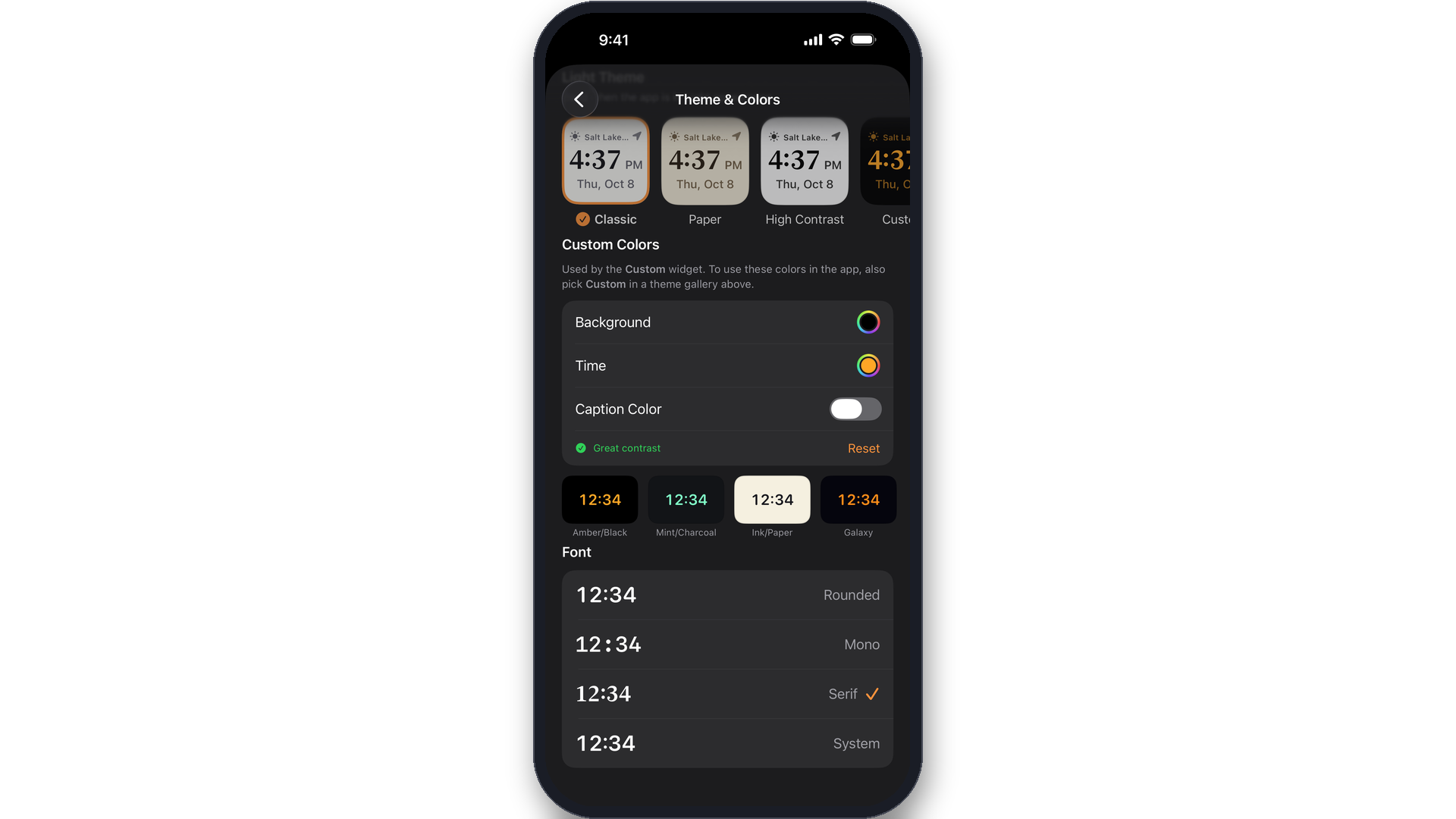
Starter swatches: Amber / Black · Mint / Charcoal · Ink / Paper. The colors you pick power the Custom widget immediately — placed widgets reload to match — and also drive the in-app clock when you tap the Custom card in either theme gallery.
Apple Clock is fine. Tockwell goes deep on the parts most people actually look at every day — the clock face, the widgets, and the alarm experience — and treats style as a real feature.
| Feature | Apple Clock | Tockwell |
|---|---|---|
| Widget styles | One system style | Four: Dark, Light, Glass, Custom |
| Custom widget colors | No | Yes — pick background, time, caption; live preview; WCAG contrast guard |
| Lock Screen widgets | Only the system clock | Inline, Rectangular, and Circular accessory widgets |
| Multi-city widgets | Yes, single look | Themed multi-city large widget that matches your color choices |
| Custom city names | Tied to the system's city / time-zone list | Type your own name (e.g., "Mom's Cabin") with any IANA zone |
| Default city for widgets | No app-level default | Star a city; new widgets follow it automatically |
| Alarm snooze length | Fixed 9 minutes | 1–9 minutes per alarm |
| Max snoozes | Unlimited | 1, 2, or 3 (configurable per alarm) |
| Nightstand brightness | StandBy is system-managed | Dim or Bright, plus optional warm tint, with proper brightness save / restore |
| Full-screen clock view | Only in StandBy / charging | Anytime, with selectable theme and font |
| Themes / fonts | None | 6 presets (3 light + 3 dark) + Custom; 4 fonts |
| Privacy posture | Apple-system, varies | Fully offline; no analytics, no network, no tracking, no third-party SDKs |
| Data collected | (Some, per Apple) | None — verified in the App Store privacy manifest |
Tockwell is one of the more honest privacy stories on the App Store: there isn't one to tell.
NSPrivacyTracking = false and an empty tracking-domains list.UserDefaults inside an App Group on your device.If you submit the privacy nutrition label as "Data Not Collected," it matches reality. Read the full privacy notes →
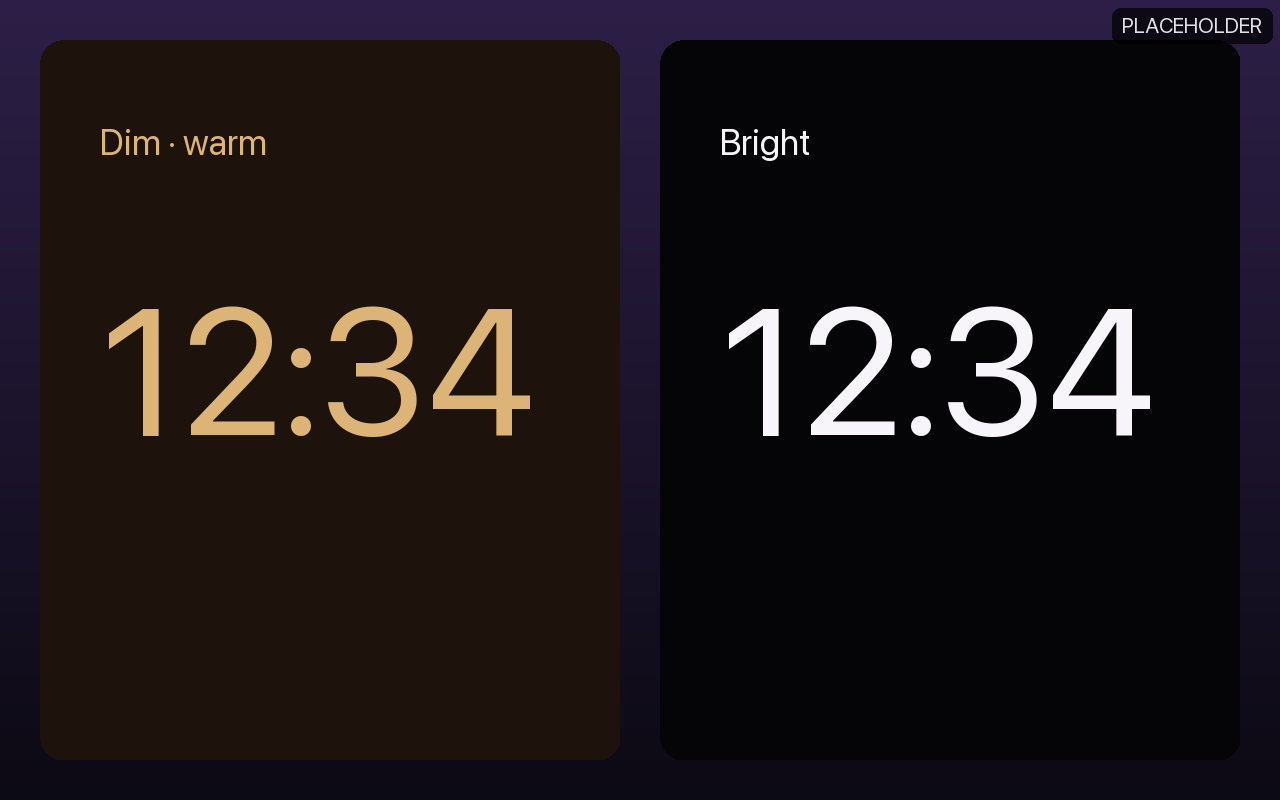
Full-screen, glanceable, stays awake. Dim or Bright with an optional warm tint.
Inline, Rectangular, and Circular accessory widgets. Hero time, secondary city / date.
One binary, adaptive layout from the smallest current iPhone to the 13" iPad Pro.
$3.99, one time. No subscription, no in-app purchases, no ads. Runs on iOS 18 and later.
In review — launching soon